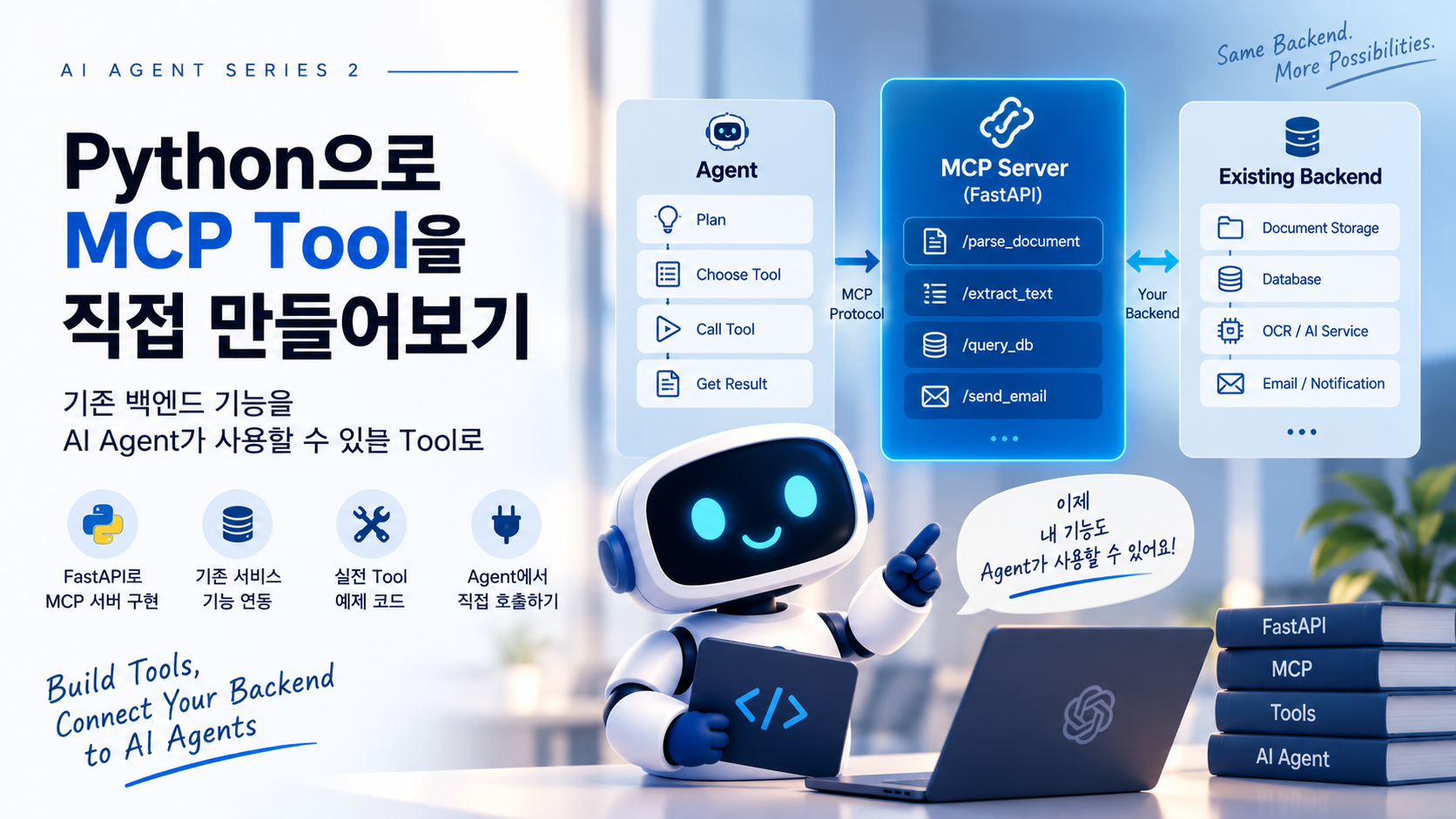
Agent가 사용할 수 있는 백엔드 기능을 MCP Server로 제공하기
1부에서는 파일 업로드 이후 모든 처리를 하나의 Worker가 담당하는 구조에서 출발했다.
File Upload
    ↓
Worker
    ↓
Parse
    ↓
Analyze
    ↓
Save
파일 종류와 업무 규칙이 다양해지면 Worker 내부의 판단 로직도 늘어난다. 그래서 이번에는 판단과 실행을 분리한다.
File Upload
     ↓
Event
     ↓
Agent Worker
     ↓
Orchestrator
     ↓
MCP
     ↓
Tools
Agent는 현재 상황을 보고 무엇을 해야 할지 판단하고, 실제 작업은 Tool이 수행한다.
1. MCP는 비즈니스 로직이 아니다
MCP Server 안에 S3 접속, DB 조회, PDF Parsing, LLM 호출, 저장 로직을 모두 넣어버리면 MCP Tool이 새로운 비즈니스 로직 계층이 된다.
기존 백엔드가 다음 구조라면 그대로 활용하는 편이 낫다.
API
 ↓
Service
 ↓
Repository
 ↓
Database
MCP는 새로운 접근 경로를 추가한다.
             FastAPI
                │
                ↓
             Service
                ↑
                │
             MCP Tool
                ↑
                │
              Agent
즉 FastAPI와 MCP Tool이 동일한 Service Layer를 사용할 수 있다.
2. 예제 프로젝트 구조
document-agent/
│
├── mcp_server.py
├── services/
│   ├── document_service.py
│   ├── analysis_service.py
│   └── storage_service.py
├── repositories/
│   └── document_repository.py
└── models/
    └── document.py
mcp_server.py는 Tool 정의, services/는 업무 로직, repositories/는
Database 접근을 담당한다.
3. 가장 작은 MCP Server
from mcp.server.fastmcp import FastMCP

mcp = FastMCP("document-tools")

@mcp.tool()
def hello(name: str) -> str:
    return f"Hello {name}"
Agent에게 중요한 것은 함수 내부 구현보다 이 Tool이 무엇을 하는가다.
4. 첫 번째 Tool: get_document
class DocumentService:
    def get_document(self, document_id: str):
        return {
            "document_id": document_id,
            "filename": "invoice_2026.pdf",
            "content_type": "application/pdf",
            "storage_path": f"documents/{document_id}/invoice_2026.pdf",
            "status": "UPLOADED",
        }
from mcp.server.fastmcp import FastMCP
from services.document_service import DocumentService

mcp = FastMCP("document-tools")
document_service = DocumentService()

@mcp.tool()
def get_document(document_id: str) -> dict:
    """
    Retrieve metadata for an uploaded document.

    Use this tool when you need information about a document
    before deciding how the document should be processed.
    """
    return document_service.get_document(document_id)
Agent Tool에서는 Docstring이 단순 개발 문서가 아니다. Tool 설명은 Agent의 Tool 선택에 영향을 준다.
5. Tool 이름과 Description은 중요하다
process 같은 이름보다 extract_invoice처럼 행동을 명확하게 드러내는
이름이 좋다.
extract_invoice

Extract structured invoice fields including
invoice number, vendor, date, amount and currency
from an uploaded invoice document.
Agent가 이름과 설명을 보고 언제 이 Tool을 사용할지 판단할 수 있어야 한다.
6. 두 번째 Tool: extract_document_content
class DocumentService:
    def extract_content(self, document_id: str):
        document = self.get_document(document_id)
        content_type = document["content_type"]

        if content_type == "application/pdf":
            return self._extract_pdf(document)

        if content_type == "application/vnd.openxmlformats-officedocument.spreadsheetml.sheet":
            return self._extract_excel(document)

        raise ValueError(f"Unsupported content type: {content_type}")
@mcp.tool()
def extract_document_content(document_id: str) -> dict:
    """
    Extract machine-readable content from an uploaded document.
    """
    return document_service.extract_content(document_id)
Agent
  ↓
extract_document_content
  ↓
DocumentService
  ↓
PDF Parser
7. Tool을 너무 작게 나누지 않는다
download_file, open_pdf, read_page, normalize_text 같은 내부
함수를 전부 Tool로 만들면 Agent의 의사결정 공간만 커진다.
MCP Tool의 단위는 내부 구현 단계가 아니라 Agent가 선택할 가치가 있는 행동의 단위여야 한다.
8. 세 번째 Tool: analyze_document
class AnalysisService:
    def analyze(self, document_id: str, text: str):
        return {
            "document_id": document_id,
            "document_type": "invoice",
            "summary": "Software service invoice",
            "confidence": 0.94,
        }
analysis_service = AnalysisService()

@mcp.tool()
def analyze_document(document_id: str, text: str) -> dict:
    """
    Analyze extracted document content and return
    structured analysis information including confidence.
    """
    return analysis_service.analyze(
        document_id=document_id,
        text=text,
    )
9. 네 번째 Tool: save_analysis
@mcp.tool()
def save_analysis(document_id: str, analysis: dict) -> dict:
    """
    Persist a validated document analysis result.

    Use this tool only when the analysis result
    is considered valid and ready to be stored.
    """
    return analysis_service.save_analysis(
        document_id=document_id,
        analysis=analysis,
    )
Description에는 무엇을 하는지만 아니라 언제 사용해야 하는지도 적어주는 것이 좋다.
10. Agent에게 네 가지 능력이 생겼다
get_document
extract_document_content
analyze_document
save_analysis
Agent 코드에는 PDF Parser나 Database 코드가 없다. Agent는 Tool을 선택할 뿐이다.
11. MCP Server 전체 형태
from mcp.server.fastmcp import FastMCP
from services.document_service import DocumentService
from services.analysis_service import AnalysisService

mcp = FastMCP("document-tools")
document_service = DocumentService()
analysis_service = AnalysisService()

@mcp.tool()
def get_document(document_id: str) -> dict:
    """Retrieve metadata for an uploaded document."""
    return document_service.get_document(document_id)

@mcp.tool()
def extract_document_content(document_id: str) -> dict:
    """Extract machine-readable content from an uploaded document."""
    return document_service.extract_content(document_id)

@mcp.tool()
def analyze_document(document_id: str, text: str) -> dict:
    """Analyze document content and return structured information."""
    return analysis_service.analyze(document_id=document_id, text=text)

@mcp.tool()
def save_analysis(document_id: str, analysis: dict) -> dict:
    """Persist a validated document analysis result."""
    return analysis_service.save_analysis(
        document_id=document_id,
        analysis=analysis,
    )

if __name__ == "__main__":
    mcp.run()
MCP Server 자체가 비즈니스 로직의 중심일 필요는 없다. 기존 기능을 Agent가 사용할 수 있도록 인터페이스를 제공하면 충분하다.
12. Agent는 Tool을 어떻게 발견할까?
Tools

1. get_document
   input: document_id

2. extract_document_content
   input: document_id

3. analyze_document
   input: document_id, text

4. save_analysis
   input: document_id, analysis
Agent는 현재 상태와 Tool 목록을 보고 다음 행동을 선택한다.
get_document
      ↓
extract_document_content
      ↓
analyze_document
      ↓
save_analysis
13. 일반적인 함수 호출과 무엇이 다른가
일반 Python 프로그램에서는 개발자가 호출 순서를 작성한다.
document = get_document(document_id)
content = extract_document_content(document_id)
analysis = analyze_document(document_id, content["text"])
save_analysis(document_id, analysis)
Agent 구조에서는 다음과 같다.
Current State
     +
Available Tools
     +
LLM
     ↓
Next Tool
Tool은 같지만 누가 실행 순서를 결정하는지가 달라진다.
14. Tool 입력은 명확해야 한다
@mcp.tool()
def analyze_document(
    document_id: str,
    text: str,
) -> dict:
    ...
필요하면 Pydantic 모델로 구조를 명확하게 만들 수 있다.
from pydantic import BaseModel

class DocumentAnalysisInput(BaseModel):
    document_id: str
    text: str

class DocumentAnalysisResult(BaseModel):
    document_id: str
    document_type: str
    summary: str
    confidence: float
15. 반환값도 Agent가 이해하기 쉬워야 한다
{
  "success": true,
  "document_id": "doc_123",
  "status": "SAVED"
}
{
  "type": "invoice",
  "confidence": 0.94,
  "requires_review": false
}
Tool의 Output은 다음 Agent Decision의 입력이기도 하다.
16. 오류도 Tool의 결과다
PDF에서 텍스트를 찾지 못한 것은 스캔 PDF라는 업무 상태일 수 있다.
{
  "success": false,
  "reason": "NO_TEXT_FOUND",
  "suggested_action": "OCR"
}
extract_document_content
        ↓
NO_TEXT_FOUND
        ↓
      Agent
        ↓
     run_ocr
업무적으로 복구 가능한 상태와 시스템 오류를 구분하는 것이 중요하다.
17. OCR Tool을 추가해보자
@mcp.tool()
def run_ocr(document_id: str) -> dict:
    """
    Extract text from a scanned document using OCR.

    Use this tool when normal document text extraction fails.
    """
    return document_service.run_ocr(document_id)
get_document
      ↓
extract_document_content
      ↓
NO_TEXT_FOUND
      ↓
run_ocr
      ↓
analyze_document
      ↓
save_analysis
18. Human Review Tool
@mcp.tool()
def request_human_review(document_id: str, reason: str) -> dict:
    """
    Request human review when analysis cannot be completed
    with sufficient confidence.
    """
    return {
        "success": True,
        "document_id": document_id,
        "status": "WAITING_HUMAN_REVIEW",
        "reason": reason,
    }
AI가 처리할 수 있는 것은 자동화하고 판단하기 어려운 것은 사람에게 넘길 수 있다.
19. 저장 Tool에는 특별한 문제가 있다
get_document는 두 번 호출해도 큰 문제가 없지만 save_analysis를 두 번
호출하면 중복 데이터가 생길 수 있다. ERP 등록, 이메일 전송, 결제 승인
같은 Tool은 더 위험하다.
20. Idempotency를 생각해야 한다
같은 요청을 여러 번 실행해도 결과가 한 번 실행한 것과 같도록 만들어야 한다.
def save_analysis(document_id: str, analysis: dict, analysis_version: str):
    existing = repository.find_analysis(
        document_id=document_id,
        analysis_version=analysis_version,
    )

    if existing:
        return {
            "success": True,
            "already_exists": True,
            "analysis_id": existing.id,
        }

    result = repository.create_analysis(
        document_id=document_id,
        analysis=analysis,
        analysis_version=analysis_version,
    )

    return {
        "success": True,
        "already_exists": False,
        "analysis_id": result.id,
    }
21. 읽는 Tool과 변경하는 Tool을 구분한다
Read Tool
- get_document
- search_documents
- get_analysis

Write Tool
- save_analysis
- update_document
- request_human_review
- send_email
- create_erp_record
Write Tool에는 Validation, Idempotency, Authorization, Audit Log 같은 추가 통제가 필요하다.
22. Agent가 Tool을 선택한다고 권한까지 갖는 것은 아니다
Agent
  ↓
Tool Request
  ↓
Policy / Authorization
  ↓
Tool Execution
Agent가 Tool을 선택할 권한과 실제 시스템을 변경할 권한은 분리해서 생각해야 한다.
23. Tool 실행 기록을 남긴다
run_abc123

10:00:01 get_document               SUCCESS
10:00:02 extract_document_content   FAILED
10:00:03 run_ocr                    SUCCESS
10:00:08 analyze_document           SUCCESS
10:00:11 save_analysis              SUCCESS
run_id, document_id, tool_name, input, output, status,
error, duration_ms 등을 기록하면 Agent 실행을 추적할 수 있다.
24. Tool이 많아지면 MCP Server를 어떻게 나눌까?
                Agent
                  │
           ┌──────┼──────┐
           ↓      ↓      ↓
       File MCP  AI MCP  Business MCP
처음부터 지나치게 나누면 Deployment, Authentication, Network, Monitoring, Versioning 같은 운영 부담이 늘어난다. 처음에는 단순하게 시작하는 편이 현실적이다.
25. 우리가 만든 구조를 다시 보자
                     Agent
                       │
                       ↓
                 Orchestrator
                       │
                       ↓
                  MCP Client
                       │
                       ↓
                  MCP Server
                       │
          ┌────────────┼────────────┐
          ↓            ↓            ↓
    Document Tool  Analysis Tool  Business Tool
          │            │            │
          └────────────┼────────────┘
                       ↓
                 Service Layer
                       │
          ┌────────────┼────────────┐
          ↓            ↓            ↓
       Storage        LLM        Database
파일 업로드 이벤트까지 포함하면 다음과 같다.
User
 │
 │ Upload
 ↓
FastAPI
 │
 ├──────────────→ Object Storage
 │
 └── Event
       ↓
 Redis Streams / Queue
       ↓
  Agent Worker
       ↓
  Orchestrator
       ↓
   MCP Client
       ↓
   MCP Server
       │
       ├── get_document
       ├── extract_document_content
       ├── run_ocr
       ├── analyze_document
       ├── save_analysis
       └── request_human_review
               ↓
          Service Layer
               │
      ┌────────┼────────┐
      ↓        ↓        ↓
   Storage    LLM    Database
기존 FastAPI, Queue, Service Layer, Database, Object Storage는 그대로 사용할 수 있다. 새롭게 추가되는 핵심은 Orchestrator와 MCP Interface다.
26. 기존 Worker 방식과 비교해보자
기존 Worker에서는 실행 순서가 코드에 들어 있다.
def process_document(document_id):
    document = get_document(document_id)
    content = extract_document_content(document_id)

    if not content["text"]:
        content = run_ocr(document_id)

    analysis = analyze_document(
        document_id,
        content["text"],
    )

    if analysis["confidence"] < 0.8:
        request_human_review(document_id)
        return

    save_analysis(document_id, analysis)
업무 규칙이 명확하고 실행 순서가 항상 동일하다면 이런 방식이 더 좋다.
Agent 구조에서는 개발자가 실행 순서를 모두 작성하는 대신 Agent가 사용할 수 있는 Tool을 정의한다.
Developer
    ↓
Tool Definition
    ↓
Agent
    ↓
Runtime Decision
같은 Tool을 가지고도 상황에 따라 실행 경로가 달라질 수 있다.
일반 PDF

get_document
      ↓
extract_document_content
      ↓
analyze_document
      ↓
save_analysis
스캔 PDF

get_document
      ↓
extract_document_content
      ↓
NO_TEXT_FOUND
      ↓
run_ocr
      ↓
analyze_document
      ↓
save_analysis
낮은 신뢰도

get_document
      ↓
extract_document_content
      ↓
analyze_document
      ↓
LOW_CONFIDENCE
      ↓
request_human_review
27. 그렇다고 모든 판단을 LLM에게 맡기지는 않는다
다음 조건은 Agent에게 물어볼 필요가 없다.
if file_size > MAX_FILE_SIZE:
    reject_file()

if retry_count >= 3:
    fail_job()

if user_id != document.owner_id:
    raise PermissionError()
시스템에는 크게 두 종류의 판단이 있다.
Deterministic Decision
        ↓
       Code

Semantic / Contextual Decision
        ↓
       Agent
파일 크기 제한, 권한, Retry 횟수는 코드가 판단한다. 반면 문서 유형, OCR 필요 여부, 적절한 분석 방법, 추가 분석 필요 여부 같은 문제에는 Agent가 개입할 수 있다.
코드가 잘하는 판단과 LLM이 잘하는 판단을 구분해야 한다.
28. Agent와 Workflow를 섞는 것이 현실적이다
                 File Upload
                      ↓
               Fixed Workflow
                      ↓
             Security Validation
                      ↓
                 Store File
                      ↓
                Create Record
                      ↓
                 Agent Start
                      ↓
                Orchestrator
                      │
            ┌─────────┼─────────┐
            ↓         ↓         ↓
          Parser     OCR      Vision
            │         │         │
            └─────────┼─────────┘
                      ↓
                   Analyze
                      ↓
                  Validation
                      ↓
            ┌─────────┴─────────┐
            ↓                   ↓
          Save             Human Review
항상 실행되어야 하는 앞부분은 Deterministic Workflow로 두고, 처리 방법을 선택해야 하는 영역에서 Agent를 사용한다. 중요한 비즈니스 규칙은 다시 코드나 Policy가 통제할 수 있다.
29. MCP가 여기서 해결하는 문제는 무엇인가?
Agent와 Tool이 하나의 Python 프로그램 안에 있고 앞으로도 분리할 필요가 없다면 일반적인 Function Calling으로 충분할 수도 있다.
MCP를 사용한다고 Agent가 갑자기 더 똑똑해지는 것은 아니다. MCP의 중요한 장점은 Agent와 Tool 구현을 분리하는 것이다.
Agent A ──────┐
              │
Agent B ──────┼──→ MCP Server
              │
Agent C ──────┘
Tool을 제공하는 쪽은 Agent 프레임워크를 알 필요가 줄어들고, Agent는 Tool 내부 구현을 알 필요가 없다.
MCP는 Agent와 Capability 사이의 인터페이스를 분리한다.
30. REST API와는 무엇이 다른가?
실제 업무 기능은 REST API로도 충분히 제공할 수 있다.
GET  /documents/{id}
POST /documents/{id}/extract
POST /documents/{id}/analyze
POST /documents/{id}/save
일반적인 API에서는 개발자가 문서를 읽고 Client Code를 작성한다. Agent 환경에서는 Agent가 사용할 수 있는 Tool을 확인하고, 설명과 Schema를 이해하고, 현재 상황에 맞는 Tool을 선택해야 한다.
Agent
  ↓
Discover Tools
  ↓
Understand Description
  ↓
Understand Schema
  ↓
Select Tool
  ↓
Call Tool
따라서 MCP를 REST를 대체하는 기술이라기보다 Agent가 외부 Capability를 발견하고 사용할 수 있도록 연결하는 Protocol로 이해하는 편이 자연스럽다.
MCP Tool 내부에서 기존 REST API를 호출하는 구조도 가능하다.
Agent
  ↓
MCP
  ↓
Tool
  ↓
REST API
  ↓
Existing Backend
31. 기존 시스템에 MCP를 추가한다면
FastAPI
   ↓
Service Layer
   ↓
Repository
   ↓
MySQL

   +
Object Storage

   +
Redis Streams
전체 시스템을 다시 만들 필요는 없다.
                 Existing Backend

FastAPI ──────→ Service Layer ──────→ Database
                    ↑
                    │
                 MCP Tool
                    ↑
                    │
                MCP Server
                    ↑
                    │
                  Agent
기존 Redis Streams Worker 중 일부가 Agent 실행을 담당하게 할 수도 있다.
FastAPI
   ↓
Redis XADD
   ↓
Agent Worker
   ↓
Orchestrator
   ↓
MCP
   ↓
Existing Service
기존 Event Driven Architecture를 유지하면서 필요한 부분에만 Agent를 도입할 수 있다.
32. 이번 글에서 만든 MCP Tool 정리
get_document: 문서 기본 정보 조회extract_document_content: 분석 가능한 내용 추출run_ocr: 스캔 문서 OCRanalyze_document: 문서 분석save_analysis: 검증된 결과 저장request_human_review: 사람에게 검토 요청
                  get_document
                       ↓
            extract_document_content
                       ↓
                ┌──────┴──────┐
                ↓             ↓
              TEXT       NO_TEXT_FOUND
                │             ↓
                │          run_ocr
                │             │
                └──────┬──────┘
                       ↓
                analyze_document
                       ↓
               ┌───────┴───────┐
               ↓               ↓
        High Confidence   Low Confidence
               ↓               ↓
        save_analysis   request_human_review
33. 하지만 아직 해결하지 않은 것이 있다
Tool을 만드는 것보다 어려운 문제는 Agent Runtime과 Orchestration이다.
Agent가 같은 Tool을 반복 호출하면?
잘못된 Tool을 선택하면?
무한 Loop에 빠지면?
Tool 실행 중 오류가 발생하면?
LLM 호출 자체가 실패하면?
Agent 실행 도중 서버가 재시작되면?
Human Review가 하루 뒤 완료되면?
Agent는 어디서부터 다시 시작해야 할까?
34. Tool을 만드는 것보다 Tool을 통제하는 것이 더 어렵다
Step 1
extract_document_content
        ↓
FAILED

Step 2
run_ocr
        ↓
FAILED

Step 3
extract_document_content
        ↓
FAILED
실제 Agent Runtime에는 다음과 같은 제어 장치가 필요하다.
Max Steps
Retry Limit
Timeout
Loop Detection
Tool Permission
Execution State
Checkpoint
Audit Log
Agent가 어디까지 행동할 수 있는지를 시스템이 통제해야 한다.
35. Agent의 실행 상태는 어디에 저장할까?
Human Review가 몇 시간 뒤에 끝날 수도 있다. Worker를 계속 실행한 채 기다리는 것은 좋은 방법이 아니다.
Agent
  ↓
request_human_review
  ↓
Save State
  ↓
WAITING_HUMAN
  ↓
Worker 종료
사람이 검토를 완료하면 다시 실행한다.
Human Approve
      ↓
Event
      ↓
Agent Worker
      ↓
Load State
      ↓
Resume
Agent는 자신의 현재 상태를 저장하고 종료한 뒤 나중에 복원할 수 있어야 한다.
36. Agent의 상태에는 무엇이 들어갈까?
{
  "run_id": "run_123",
  "document_id": "doc_123",
  "status": "WAITING_HUMAN",
  "step": 5,
  "last_tool": "request_human_review",
  "document_type": "invoice",
  "confidence": 0.58,
  "retry_count": 1
}
Tool 실행 이력도 함께 저장할 수 있다.
Step 1  get_document               SUCCESS
Step 2  extract_document_content   SUCCESS
Step 3  analyze_document           SUCCESS
Step 4  validate_invoice           FAILED
Step 5  request_human_review       WAITING
37. MCP Server는 상태를 가져야 할까?
가능하면 Agent 실행 상태와 Tool 실행 상태를 구분하는 편이 좋다.
              Agent Runtime
                    │
              Execution State
                    │
                    ↓
                MCP Client
                    │
                    ↓
                MCP Server
                    │
                    ↓
                   Tool
                    │
                    ↓
              Business Service
MCP Server는 Tool 제공과 실행에 집중하고, Agent Runtime은 Step, Retry Count, Human Review Status, Execution History 같은 실행 상태를 관리한다.
38. 결국 MCP는 Orchestrator가 아니다
Agent / Orchestrator
        ↓
무엇을 할지 결정

MCP
        ↓
Tool을 연결

Tool
        ↓
실제 작업 수행
MCP가 Workflow를 결정하는 것은 아니다. 그 판단은 Agent 또는 Orchestrator의 책임이다.
39. 이번 예제에서 가장 중요한 코드
@mcp.tool()
def extract_document_content(document_id: str) -> dict:
    """
    Extract machine-readable content from an uploaded document.
    """
    return document_service.extract_content(document_id)
중요한 것은 코드의 복잡성이 아니다. 기존
document_service.extract_content() 기능을 Agent가 사용할 수 있는
Capability로 바꿨다는 점이다.
40. MCP를 도입할 때 먼저 해야 할 일
현재 시스템의 기능을 먼저 나열한다.
파일 조회
파일 다운로드
PDF Parsing
OCR
Excel Parsing
Document Classification
Invoice Extraction
Validation
Database 저장
Human Review 요청
Notification
ERP 등록
그리고 각각에 대해 묻는다.
이 기능을 Agent가 상황에 따라 선택할 필요가 있는가?
이 과정을 거치면 자연스럽게 MCP Tool 후보가 나온다.
Existing Functions
        ↓
Capability Analysis
        ↓
Agent Decision Boundary
        ↓
MCP Tools
MCP 설계는 코드 작성보다 Capability 설계가 먼저다.
41. Tool의 수는 많다고 좋은 것이 아니다
Tool이 너무 많으면 Agent의 선택 공간이 커지고 Description도 서로 비슷해질 수 있다.
따라서
How many functions can I expose?
What decisions should the Agent make?
를 먼저 생각하는 것이 좋다.
42. 2부에서 만든 전체 구조
                    User
                     │
                  Upload
                     ↓
                  FastAPI
                     │
                Redis Stream
                     ↓
                Agent Worker
                     ↓
                Agent Runtime
                     ↓
                Orchestrator
                     │
              ┌──────┴──────┐
              │             │
          LLM Decision      State
              │             │
              └──────┬──────┘
                     ↓
                 MCP Client
                     ↓
                 MCP Server
                     ↓
          ┌──────────┼──────────┐
          ↓          ↓          ↓
       Parser       OCR      Analyzer
          │          │          │
          └──────────┼──────────┘
                     ↓
                Service Layer
                     ↓
       ┌─────────────┼─────────────┐
       ↓             ↓             ↓
    Storage         LLM         Database
Tool Result는 다시 Agent Runtime으로 돌아가 다음 Decision의 입력이 된다.
종료 조건을 만족하면 COMPLETED, 실패하면 FAILED, 사람의 판단이
필요하면 WAITING_HUMAN 상태가 된다.
마치며
이번 글에서는 Python으로 간단한 MCP Server를 만들고 기존 백엔드 기능을 MCP Tool로 제공하는 방법을 살펴봤다.
중요한 것은 MCP 코드 자체보다 다음 설계 문제다.
어떤 기능을 Tool로 만들 것인가?
Tool의 크기는 어느 정도가 적절한가?
Input / Output을 어떻게 정의할 것인가?
오류를 Agent에게 어떻게 전달할 것인가?
Write Tool의 중복 실행을 어떻게 막을 것인가?
Agent가 Tool을 선택하는 것과 실행 권한을 어떻게 분리할 것인가?
Tool 실행을 어떻게 추적할 것인가?
기존 구조가 다음과 같다면
FastAPI
   ↓
Service
   ↓
Repository
   ↓
Database
새로운 접근 경로를 하나 추가할 수 있다.
FastAPI ──────────┐
                  ↓
               Service
                  ↑
                  │
               MCP Tool
                  ↑
                  │
                Agent
기존 비즈니스 로직은 그대로 두고 Agent가 사용할 수 있는 Capability를 제공하는 것이다.
MCP Tool을 만드는 것은 생각보다 간단하다. 실제 Agent 시스템의 난이도는 Tool을 만드는 데 있는 것이 아니라 Tool을 사용하는 Agent를 어떻게 통제하고 복구할 것인가에서 시작된다.
다음 글
3부 — MCP Tool을 Agent에게 맡기면 정말 더 좋은가?
Agent Loop, 상태 관리, Retry 그리고 Human-in-the-Loop
다음 편에서는 MCP Server가 아니라 Orchestrator 내부로 들어간다.
        ┌──────────────────┐
        │                  │
        ↓                  │
   LLM Decision            │
        ↓                  │
     Tool Call             │
        ↓                  │
    Tool Result ───────────┘
다음 문제들을 다룰 예정이다.
State
Max Steps
Retry
Timeout
Loop Detection
Checkpoint
Idempotency
Human-in-the-Loop
Pause / Resume
Observability
특히 다음 상황을 하나의 예제로 살펴본다.
Invoice Upload
      ↓
Agent Start
      ↓
Extract
      ↓
Analyze
      ↓
Confidence = 0.58
      ↓
Human Review
      ↓
Agent Pause

        ... 5시간 후 ...

Human Approve
      ↓
Agent Resume
      ↓
ERP Registration
      ↓
Completed
여기까지 구현할 수 있다면 Agent는 단순히 LLM이 Tool 몇 개를 호출하는 프로그램이 아니다.
오랫동안 실행되고, 중간에 멈출 수 있고, 실패에서 복구하며, 사람과 협업할 수 있는 하나의 백엔드 Workflow Runtime이 된다.